•
Drizz raises $2.7M in seed funding •
•
Featured on Forbes
•
Drizz raises $2.7M in seed funding •
•
Featured on Forbes


Mobile app lifecycle testing verifies how an app behaves as OS moves it between foreground, background, suspended, and terminated states and how it handles interruptions that force those transitions.
Most search results conflate this with software development lifecycle (SDLC) installation, updates, deletion. That's a different concept. This piece is about OS-managed lifecycle: what happens when a phone call comes in mid-checkout, when Android kills app for memory pressure, when a user swipes it away and returns two days later.
The rest of this article defines OS lifecycle test surface, maps states, catalogs interruptions, and shows where each test belongs in pipeline.
Mobile app lifecycle testing is a category of testing that verifies app behavior across OS-managed state machine states operating system, not app or user, drives.
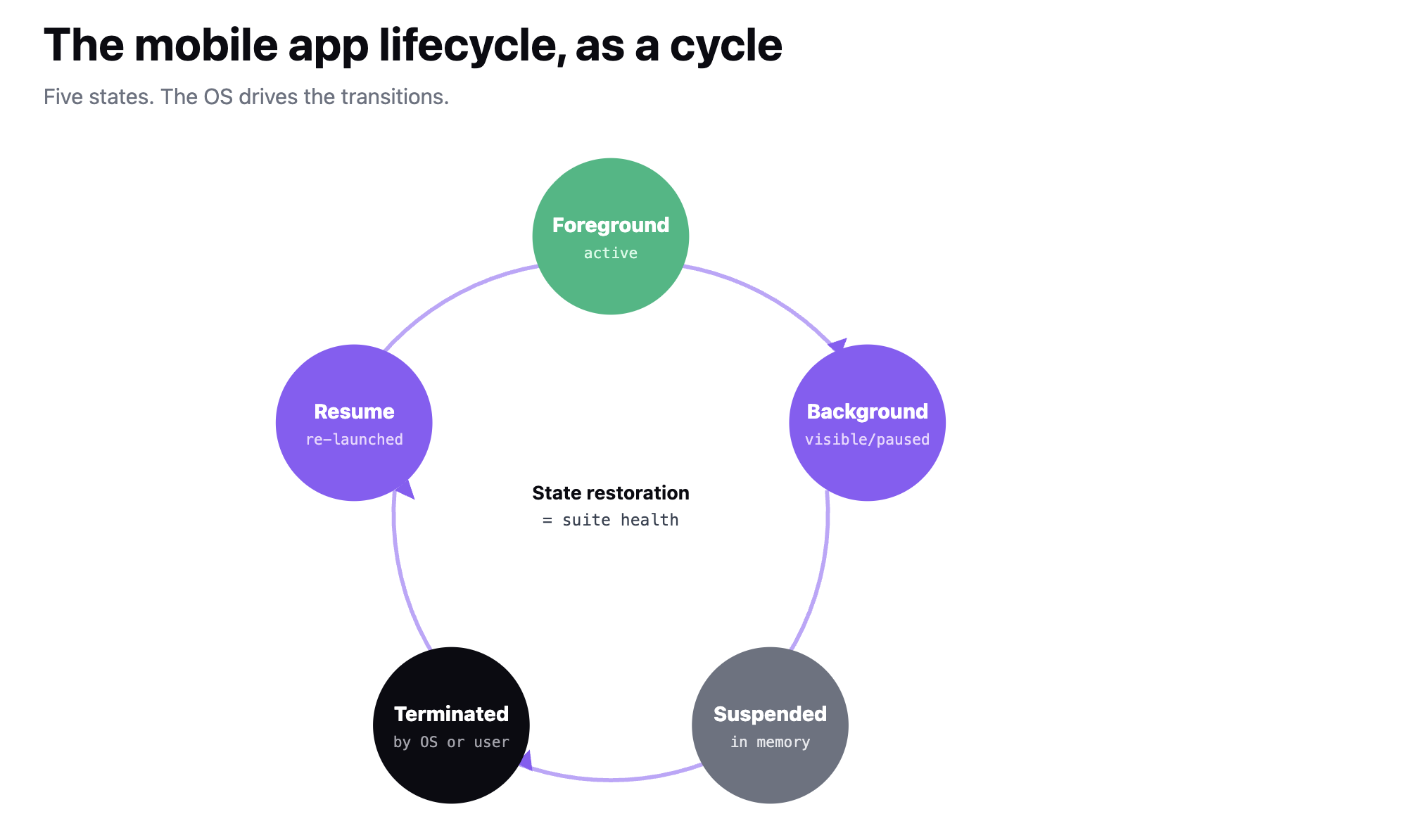
On Android, that state machine is defined by Activity lifecycle and process lifecycle beneath it. On iOS since 13, it's UIScene lifecycle layered on top of UIApplication lifecycle. Both models expose similar states with different names: your app is either active, backgrounded, suspended, or gone.
The concerns overlap with functional and network testing, but assertions are specifically about state did app's data survive transition, did UI resume where it left off, did OS kill it and if so did it come back cleanly.
Two failure modes matter. Silent state loss (app resumes but user's half-typed message is gone) and hard crashes (app dies on resume because it dereferences state that got cleared during suspension). Both ship as production bugs when nightly tests only cover foreground flows.
Five OS-managed states cover surface. Each has its own entry conditions, its own persistence rules, and its own failure modes.
Between these, app moves through interruptions states where OS is briefly foregrounded (permission prompt, call UI, control center pull-down) and app has to hold state without receiving events.
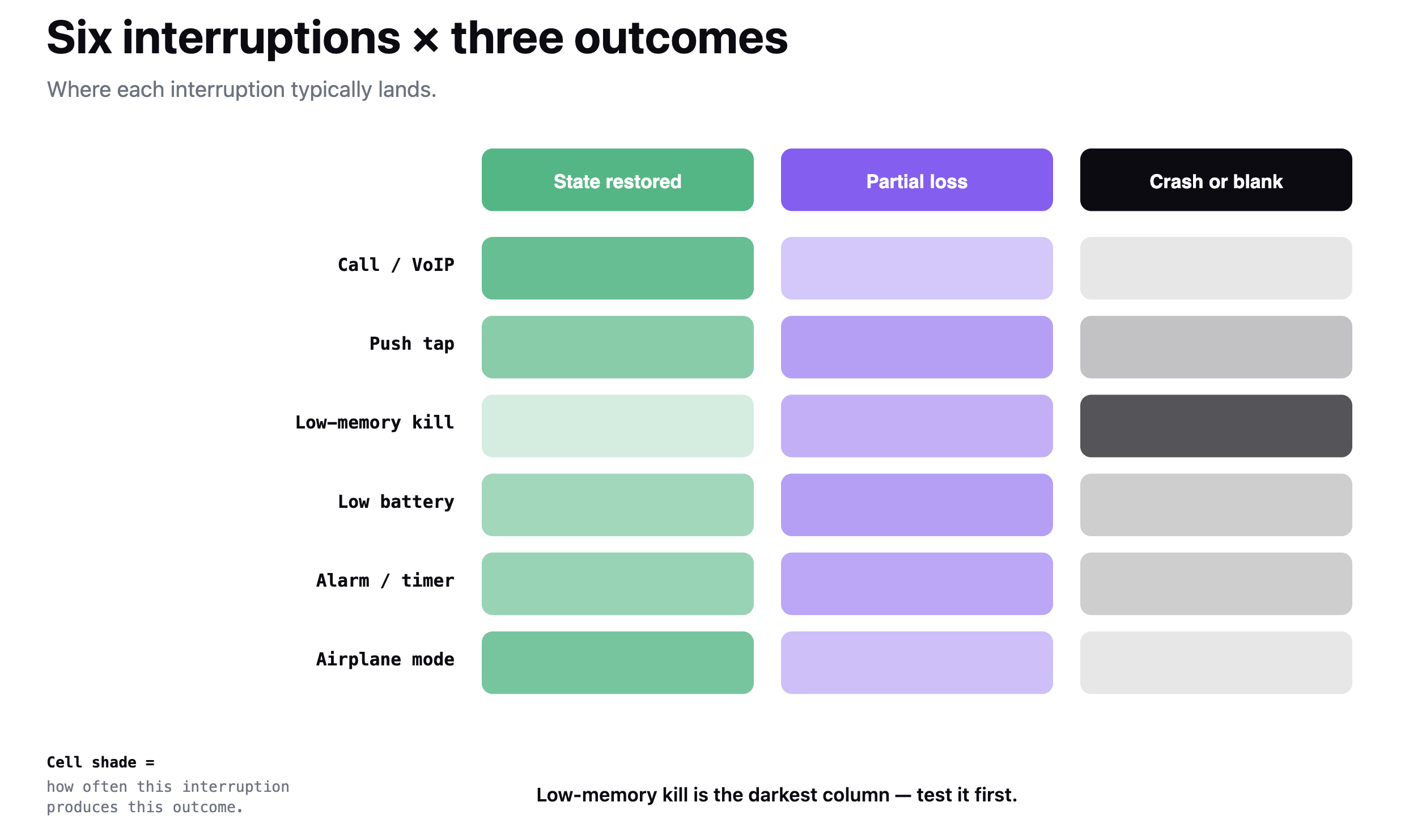
Six interruption categories cover most of what breaks in production. Each forces app through a state transition CI suite rarely tests.
Each interruption is a test case. The assertions are: does app not crash, does state persist, does UI resume where it should, does any queued action still fire.
OS-version changes reshape lifecycle surface every few years. A short list of cliff-edges that matter now.
Tests written before any of these changes need re-verification on each new OS version. A "background persistence" test that passed on iOS 12 may still pass on iOS 17 while quietly asserting on state that scene lifecycle has already invalidated.
Seven patterns account for most of what ships to production as lifecycle bugs.
A lifecycle test case adds two parts to standard four (preconditions, steps, expected, cleanup): state transition and assertion on state persistence.
Triggering state changes is where tool choice matters. On Drizz, system commands drive OS-level actions like backgrounding, killing, and relaunching without leaving test file same test then uses Validate to assert on restored screen. Waits and timing matter here: a resume assertion that fires before app has finished restoring is a flake, not a signal.
For interruption-driven tests, blocker rules auto-dismiss OS UI that appears permission prompt, CallKit banner so test can assert on app's response to interruption, not on mechanics of dismissing OS chrome.
Lifecycle tests belong at three pipeline positions, at increasing depth.
Any change to lifecycle-facing code activity or scene event handlers, background workers, notification handlers, alarm scheduling triggers an out-of-band lifecycle sweep, independent of release cadence.
For broader placement, see device tier and release stage matrix lifecycle tests run on head-tier devices, and risk tier catches OEM-specific background execution differences (Xiaomi and OPPO are aggressive; Pixel is close to AOSP).
Mobile app lifecycle testing verifies behavior across OS-managed state machine foreground, background, suspended, terminated and six interruption categories that force transitions. It is distinct from software development lifecycle, which is a scope difference SERP tends to conflate.
Five states, six interruption categories, and OS-version cliff-edges (Android 8, 10, 12, 15; iOS 13, 15, 17) define test surface. A lifecycle test case adds a state-transition trigger and a state-persistence assertion to standard four-part structure.
Pipeline placement runs a small smoke suite per PR, full state × interruption matrix nightly, and OS-version-specific tests plus background-execution budget checks at release candidate. Changes to lifecycle-facing code trigger out-of-band sweeps.
The output is a pass/fail matrix mapped to state transitions and interruption categories, not to individual features.
The mobile app lifecycle is OS-managed state machine foreground, background, suspended, terminated that runs while app is installed on a device. The software development lifecycle (SDLC) is engineering process plan, build, test, release, maintain. Lifecycle testing is about first. SDLC coverage is a broader topic that includes lifecycle testing as one stage.
On Android, adb shell am kill <package> terminates process while leaving app installed. On iOS, Simulator's Debug menu has a "Send Memory Warning" option, and physical devices can be tested by launching enough memory-heavy apps to force eviction. Some test frameworks expose direct OS-kill triggers as system commands so test file drives transition without external tooling.
Low-memory kills that happen due to real memory pressure rather than manual triggers, background-execution throttling under battery-saver modes, alarm-manager delivery delays under Doze, and OEM-specific background restrictions on Xiaomi, OPPO, and older Samsung. Emulators handle state transitions well; they don't reproduce aggressive background management that ships on real hardware.
At minimum: current screen and its navigation stack, transient form data that user was typing, and any in-progress-but-committed data (drafts, unsent messages). Pending-but-uncommitted state a half-scrolled feed position, exact playback time in a video is nice-to-have and often skipped. Regulatory contexts (fintech, health) may require more.





©Drizz 2026 • All Rights Reserved






